o maintain a safe and respectful community, iLoveView allows users to report inappropriate or unwanted videos with ease.
Here’s how it works:
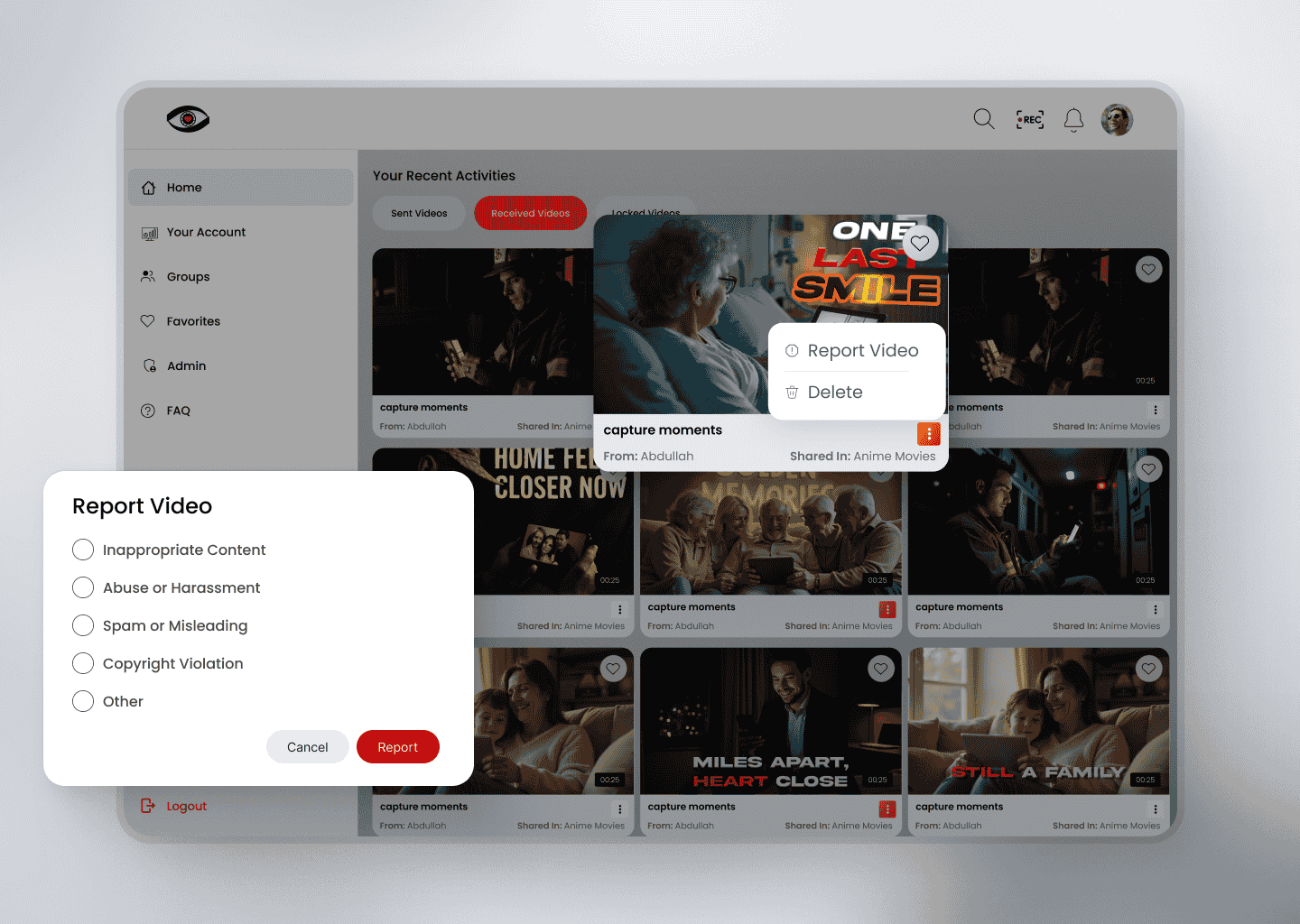
On any received video, click the three vertical dots in the bottom-right corner.
Select the "Report Video" option from the menu.
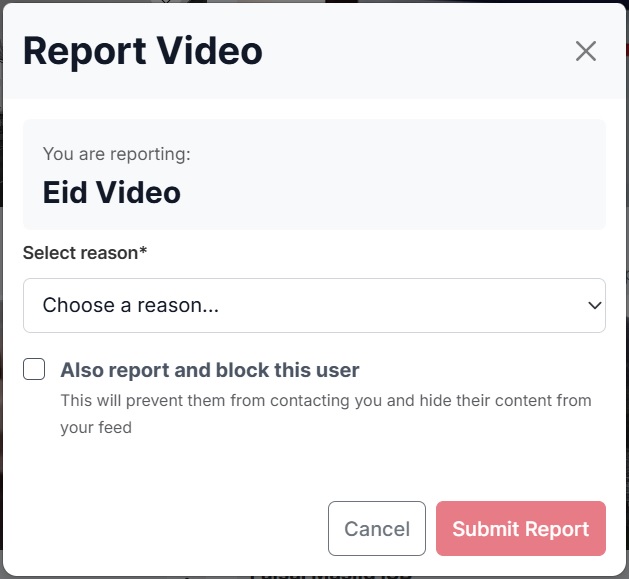
A popup will appear—choose a predefined reason or enter a custom reason to explain your concern.
Once submitted, the report is immediately sent to the admin team for review.
Our administrators will carefully assess the report and take appropriate action based on the platform’s policies.
This feature helps ensure a safe and enjoyable experience for all users.